Client's Customer Data Cleaning
Standardizing 2,176 records for ERP-ready deployment.
Clean and standardize a customer dataset (~2,176 records) so it can be safely used in systems such as Odoo, CRM tools, or POS systems. The goal was to transform messy, mixed-format inputs into structured, validated values.
Key Data Cleaning Tasks
1. Phone Number Cleaning & Splitting
Original issues included multiple numbers in one cell, separators (/, ,, spaces), and numbers mixed with text (e.g., "7XX7716 / viber 7XXX839").
- Solution: Split phone columns into helper columns (Phone1_A, Phone1_B, etc.) to isolate each number.
- Result: Every column now contains either a clean 7-digit number or a blank value.
2. Logic-Based Extraction Formulas
Extract first number before /
=IFERROR(LEFT(A2,FIND("/",A2)-1),A2)
Extract second number after /
=TRIM(MID(A2,FIND("/",A2)+1,LEN(A2)))
3. Mixed Data in Key Columns
Several columns contained inconsistent data. The Company, First Name, and Last Name fields were often mixed. In some records, the Company column contained personal names or tax IDs, while in others the tax ID appeared in fields like City.
- Solution: Dataset was reviewed and formulas were used to detect and relocate correct values.
- Formula for Merging:
=TRIM(A2&" "&B2)was used to standardize names once moved to proper fields.
4. Text Standardization
- Extra Spaces:
=TRIM(A2)removed trailing/leading whitespace. - Capitalization:
=PROPER(A2)converted "abc trading" to "Abc Trading". - Email Hygiene:
=LOWER(A2)standardized all emails for CRM compatibility.
5. Converting Scientific Notation IDs
Customer reward IDs appearing as 4.00004E+11 were forced to full numeric display to ensure the full ID remained visible.
=IF(A2="","",TEXT(A2,"0"))
Outcome
The dataset was transformed into a structured CRM-ready table with the following characteristics:
- Standardized customer names and normalized text formatting.
- Structured phone numbers (max three per customer).
- No merged cells or formula dependencies (converted to values).
- Result: Fully suitable for ERP import (Odoo), CRM systems, and POS databases.
Technical Previews
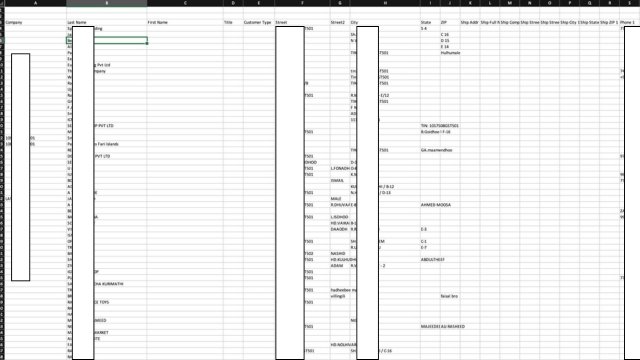
Original State: Messy mixed inputs and scientific notation issues.
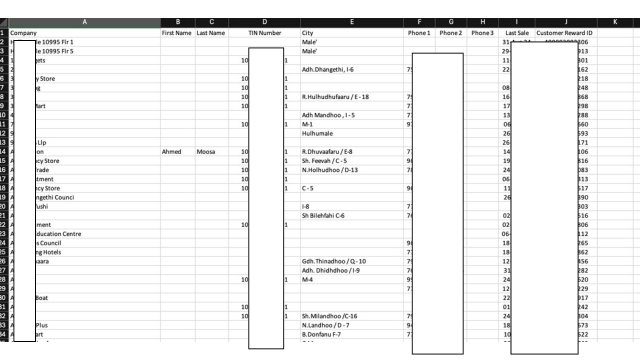
Final State: Standardized, ERP-ready table.